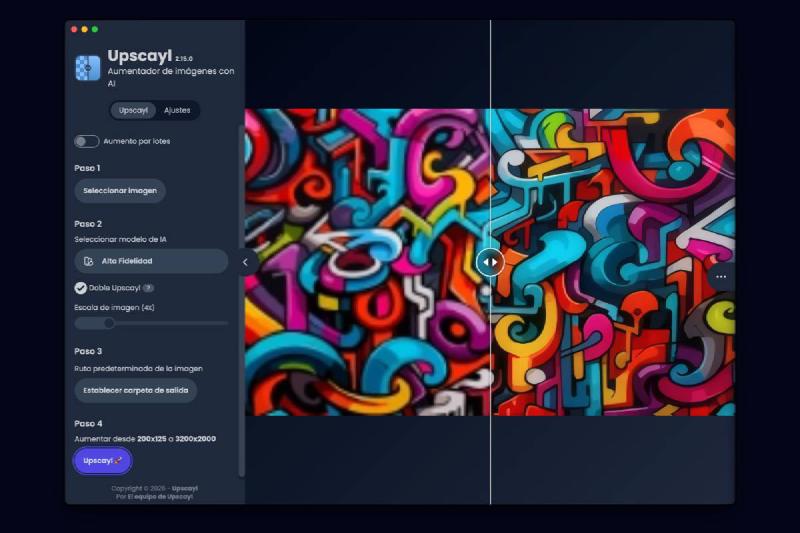
🖼️ Upscale Your Photos with AI Without Sending Them to Any Server#
Do you have a unique but low-resolution photo? Upscayl upscales it with AI — free, offline, no registration. 🔒
✨ What Is Upscayl?#
An open-source desktop app available for Windows, Linux, and macOS that uses AI to upscale images without quality loss.
🎯 Key Advantages#
- ✅ Completely free — no image limit
- 🔒 No internet connection — everything processes on your PC
- 🛡️ No registration or personal data sharing
- 📁 Formats: PNG, JPG, JPEG, WEBP (input and output)
- 📦 Batch processing available
🤖 7 Available AI Models#
| Model | Best For |
|---|---|
| Upscayl Standard | General use |
| Upscayl Lite | Faster, similar quality |
| High Fidelity | Realistic details and smooth textures |
| Remacri | Natural photos with sharpness |
| Ultramix | Balance of sharpness/detail |
| UltraSharp | Maximum sharpness in natural photos |
| Digital Art | Illustrations and digital art |
📐 Available Scales#
From 2x to 16x (recommended: 2x-4x). Enable “Double Upscayl” for two passes.
💡 Explanation in a nutshell#
Upscayl is the privacy-focused alternative to tools like ChatGPT Images or Gemini for upscaling photographs. While cloud services send your photos to external servers, Upscayl processes everything locally on your computer. It’s open-source, completely free, unlimited, and available for all three major operating systems. Perfect for recovering old low-resolution photos without compromising your privacy.
More information at the link 👇

Also published on LinkedIn.