📄 Leaf: Markdown Preview in the Terminal, Like a GUI App
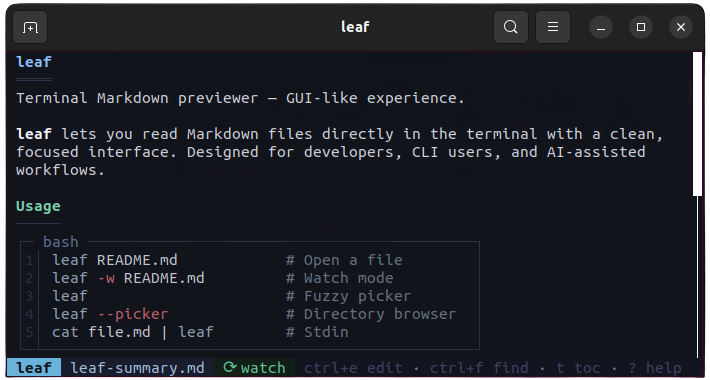
If you work in the terminal and want to see your Markdown files rendered with formatting — without leaving the terminal — leaf is the tool you’ve been looking for.
✨ What makes leaf special:
- 👁️ Watch mode (
--watch): auto-reloads on file save every 250ms - 🎨 Syntax highlighting in code blocks with support for Python, JSON, TOML, Docker, etc.
- 📑 TOC sidebar with active section tracking and two-level navigation
- 🔢 LaTeX rendering — math formulas in the terminal with Unicode conversion
- 📁 Fuzzy file picker (
Ctrl+P) to quickly open any Markdown file - 🎨 Theme picker with runtime preview
- 🤖 AI integration: perfect for use with tools like
aichat
# Quick install on macOS/Linux
curl -fsSL https://raw.githubusercontent.com/RivoLink/leaf/main/scripts/install.sh | sh

# Basic usage
leaf notes.md

# Watch mode
leaf --watch notes.md

# Pipe from Claude/AI
claude "explain Rust lifetimes" | leaf
Written in Rust, available on macOS, Linux, Windows, Android/Termux, and via npm.
💡 Explanation in a nutshell#
Leaf is like having VS Code or an editor with Markdown preview, but running entirely inside your command-line terminal. Instead of opening a browser or graphical editor to see how a .md file looks, leaf renders it with headings, tables, colors, and math formulas directly in the console. Ideal for developers who live in the terminal.
More information at the link 👇
Also published on LinkedIn.