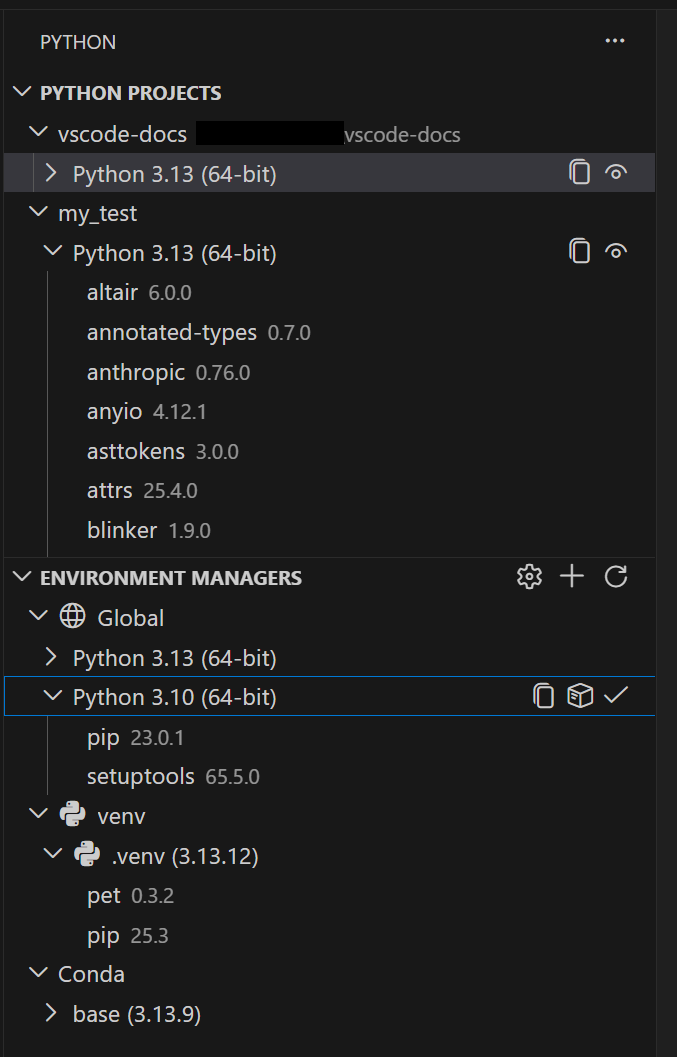
🐍 After a year in preview, Microsoft launched the Python Environments extension for VS Code. Unified virtual environment management: venv, conda, pyenv, poetry, and more — from a single UI.
This extension replaces the fragmented Python environment management in VS Code and automatically discovers:
- venv, conda, pyenv, poetry, pipenv
- System Python installations
It uses PET (Python Environment Tool), a Rust-based scanner, to find environments in all standard locations.
⚡ Integration with uv:
If uv is installed, the extension uses it automatically to create environments and install packages — significantly faster than pip.
🚀 Quick Create:
One click creates an environment with the latest Python version and automatically installs from requirements.txt or pyproject.toml.
📁 Python Projects:
Assign an environment to each folder in your monorepo. .vscode/settings.json stores the manager type, not hardcoded paths — portable across machines.
🔧 Terminal activation:
New shellStartup mode: the environment activates before the first command (ideal with GitHub Copilot in terminal).
💡 Explanation in a nutshell#
Previously, VS Code stored the exact path to the Python interpreter, which broke everything when switching machines. Now it stores only the manager type (e.g., “venv at .venv/”) and recreates it at the destination. It also centralizes in a single view what previously required terminal commands or manual configuration for each environment tool.
More information at the link 👇